Enrichment: from a list of organizations to a deep database

Names and addresses are just the skeleton. Enrichment slots add card details to every row, and cross-map adds what other maps know about the same organization. You pick the slot types in one place and run them on selected rows or the whole database.

Enrichment slots

Each slot is a separate data type; they switch on independently

Business card

the full profile: categories, attributes, opening hours

Reviews

ratings, counts and dynamics — see the reviews page for details

Menu & products

items, prices and categories — where the map publishes them

Vacancies

open positions as a signal of growth or staff rotation

Popular times

busyness by hour — to estimate location traffic

Photo albums

links to the card's photos: storefront, interior, menu

Website analysis

technologies, sections and activity signals of the company site

Business health

a combined view: is the location alive, how recently updated

Growth signals

changes that show a location growing or fading

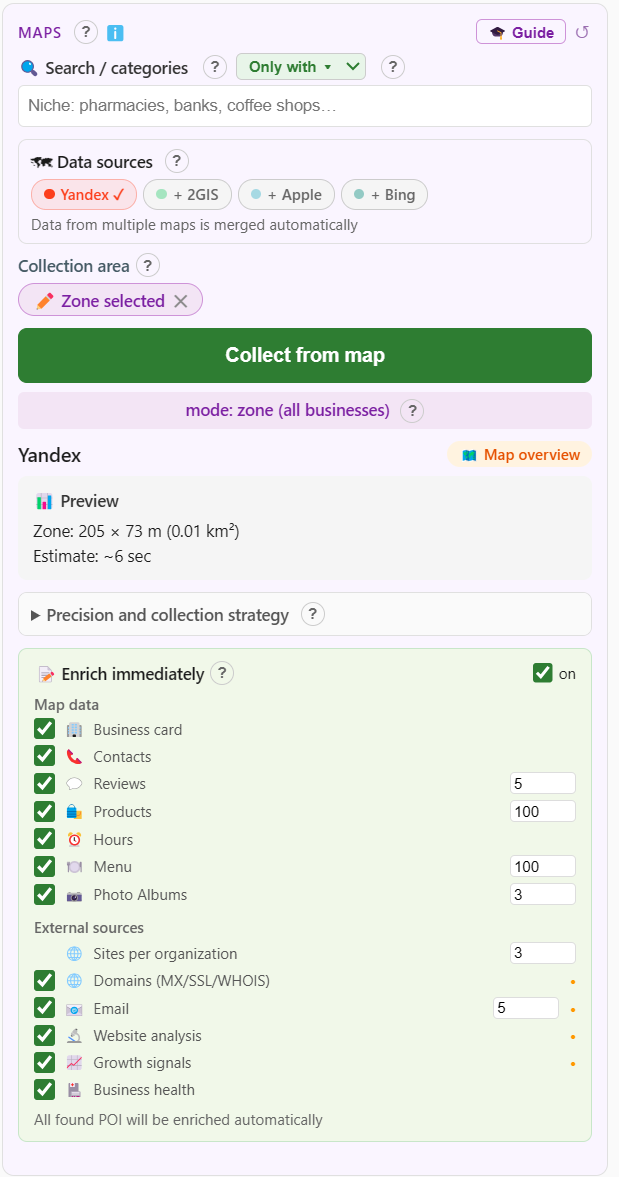
The enrich-at-collection panel: choosing enrichment slots before a run
Enrich right away: slots are picked at collection launch — every found organization is enriched automatically
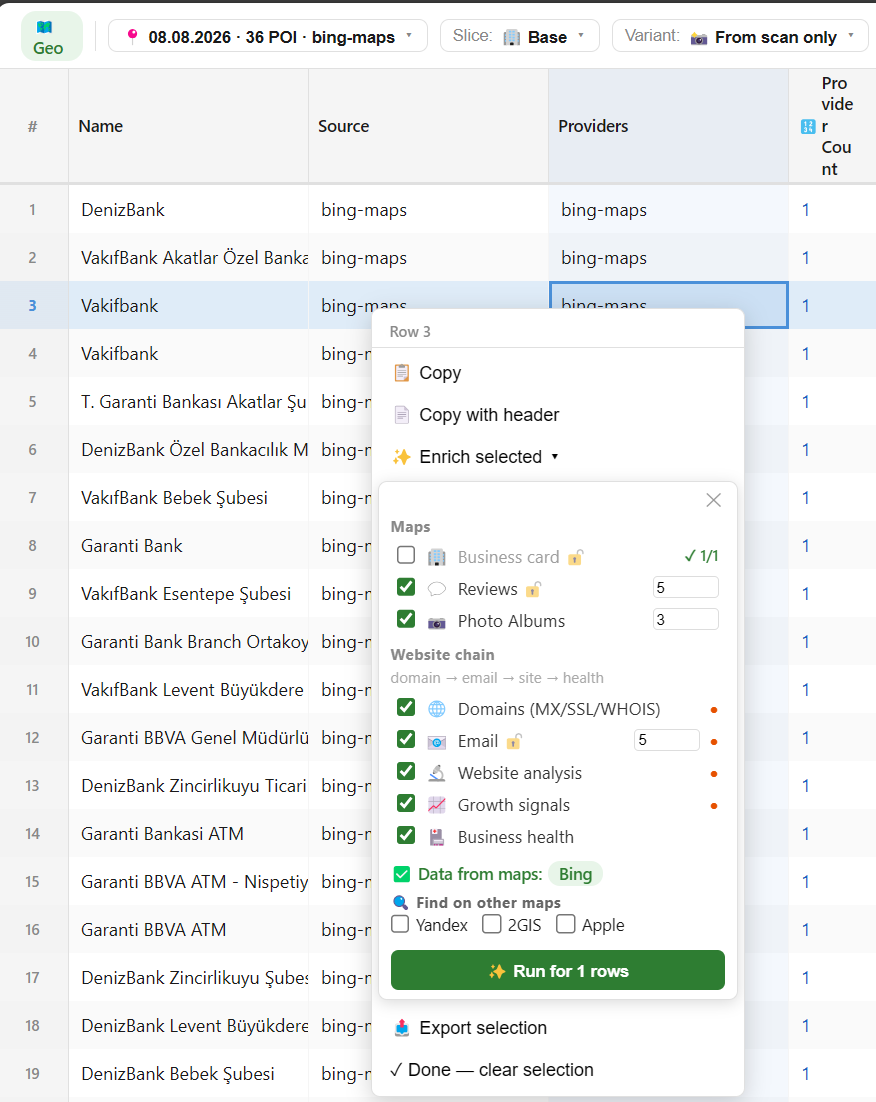
Table view: enriching selected rows — choosing slots and maps
From the table: select rows and enrich just them, choosing slots and maps to search
An organization card: per-slot data status and search on other maps
The organization card: each slot's status (fresh / not collected) and a search for the same location on other maps
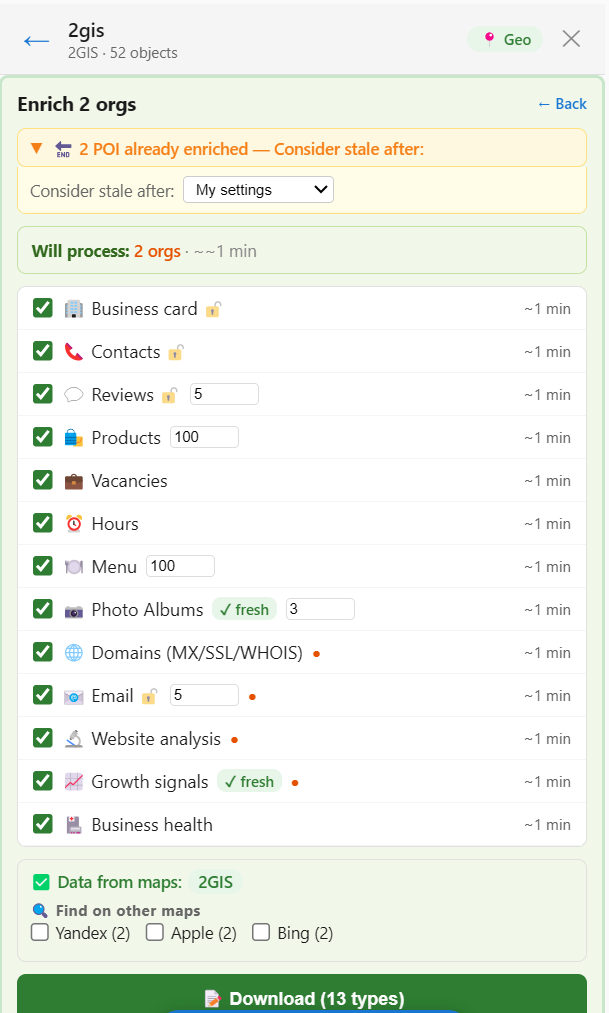
The re-enrichment dialog: freshness of already collected data
A repeat run respects freshness: you decide what counts as stale; volume and time are visible upfront
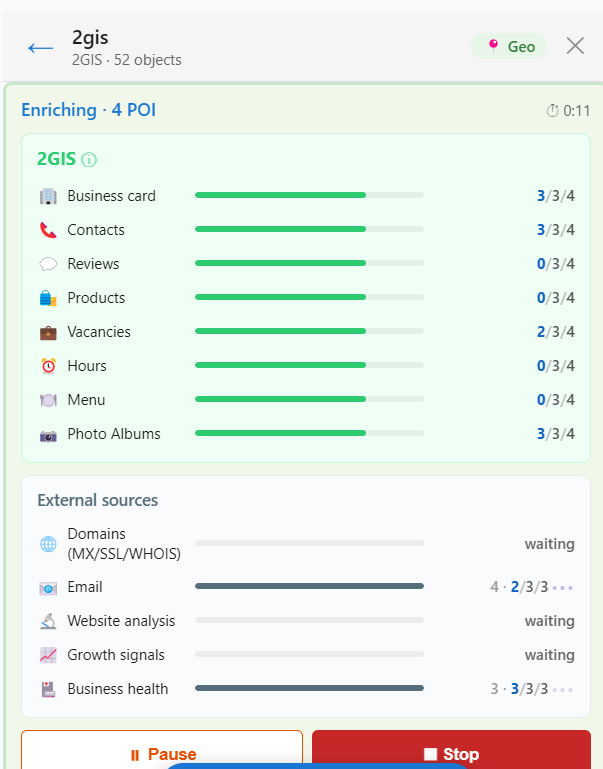
Enrichment in progress: a per-slot progress bar with pause and stop buttons
Progress shows per slot — with counters and a time estimate; the run can be paused or stopped
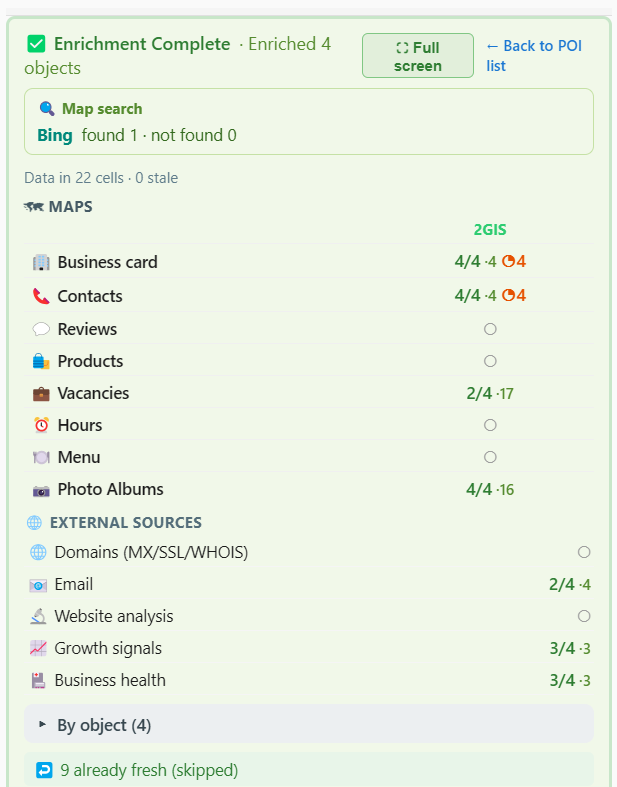
Enrichment results: per-slot counters and an export block with data and format choices
The result: per-slot counters of what was collected — and export right there: what goes into the file, the format and the columns
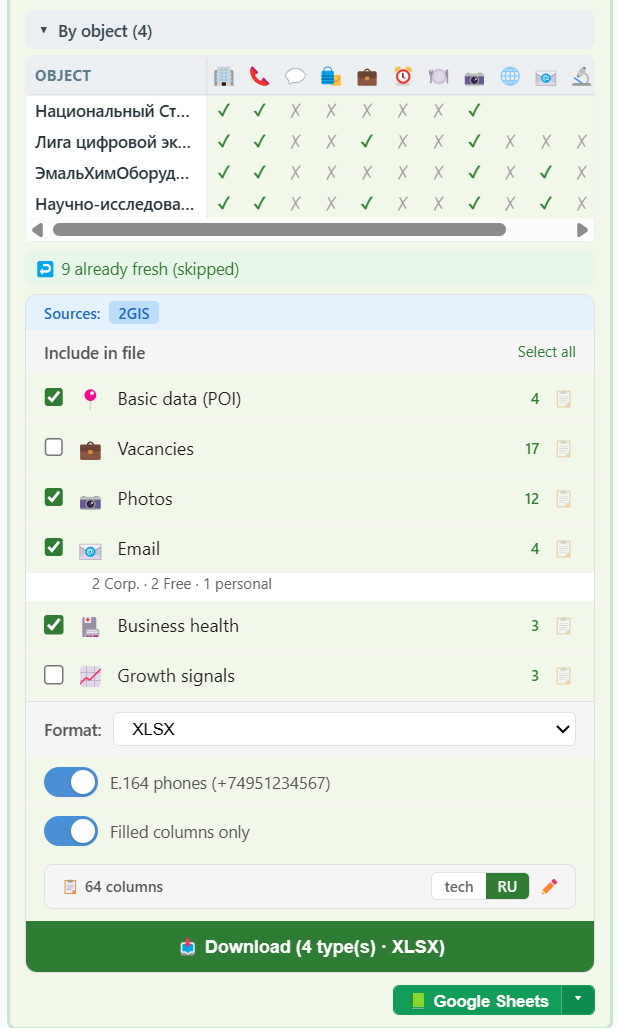
The per-object matrix: what was collected for every organization and slot
The result unfolds per object: a matrix shows what was collected for every organization in every slot
The Coverage variant and the Fill gaps panel — targeted enrichment for missing slots
Fill gaps: the table shows what's collected and what's missing; the right panel picks slots with gaps and runs a targeted fill
Cross-map: collecting from four maps at once, zone on the map, a preview with per-map time estimate
Cross-map in action: enable all sources — the preview shows a time estimate per map
Overall cross-map progress: 4 maps, 465 POI, per-map progress with zoom levels and on-the-fly export
Progress: each map at its own zoom and speed; 465 organizations — export available while the run is going

Cross-map: one organization — four sources

Maps know different things about a location — CrawlRover merges them into one row

✗ A single-map database

  • Fields the map does not have stay empty
  • One rating — no picture across platforms
  • A closure on another map goes unnoticed
  • Cross-checking maps is manual work

✓ CrawlRover cross-map

  • Finds the same organization on 2GIS, Yandex, Bing and Apple
  • Ratings from all platforms side by side, in their own scales
  • Discrepancies surface: open here, closed there
  • Missing fields are filled from other maps

Freshness under control

Enrichment is not one-off — the database lives and updates

Freshness badges

"fresh" / "stale N days" on every slot

Targeted refresh

update one slot without re-collecting the base

Selective runs

selected rows or the whole database

Slots as columns

results land straight in the table

Deepen your database

Collect the skeleton free — switch enrichment on when you need depth.

Install free